There’s something almost magical about watching students genuinely excited to review material. I’ve seen classrooms transform when the right tool meets the right moment—and Gimkit has become one of those tools that consistently delivers that transformation.
If you’ve heard the name tossed around in educational circles or your teacher recently introduced it in class, you might be wondering what the fuss is about. Or maybe you’ve played a few rounds but haven’t tapped into its full potential as an actual study tool. Either way, you’re in the right place.
Let me walk you through everything you need to know about using Gimkit effectively, whether you’re a student looking to boost your grades or an educator searching for better engagement strategies.
What Exactly Is Gimkit?
Gimkit is a game-based learning platform that turns review sessions into something students actually want to participate in. Created by a high school student named Josh Feinsilber back in 2017, it started as a school project and evolved into one of the most popular educational gaming platforms around.
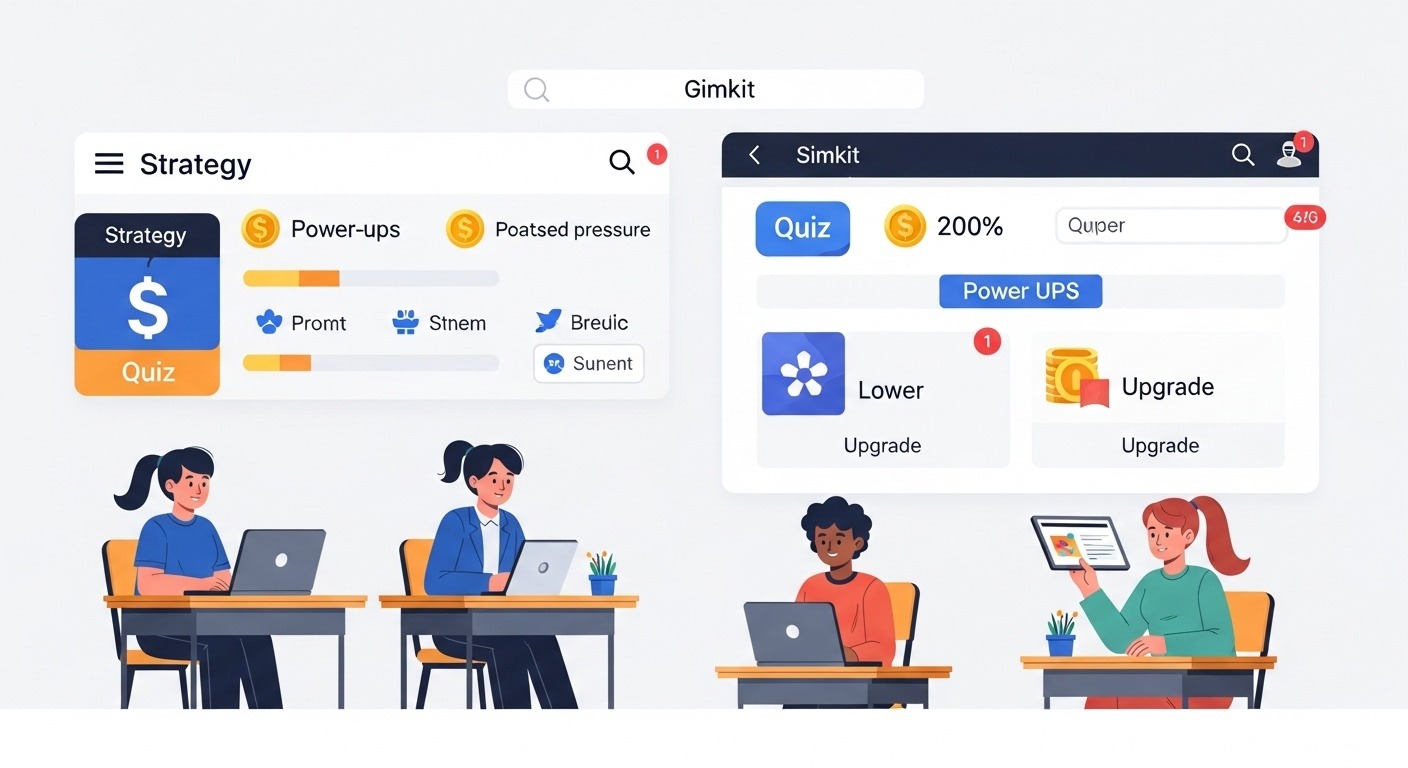
The basic concept is straightforward. Players answer questions to earn virtual currency, then use that currency to purchase upgrades, power-ups, and other in-game advantages. Unlike some quiz platforms where you answer questions and move on, Gimkit adds layers of strategy that keep players engaged far longer than traditional review methods.
What makes it different from competitors like Kahoot or Quizizz? The pacing, mainly. Kahoot runs on a timer with everyone answering simultaneously. Gimkit lets players work at their own pace, answering questions repeatedly to build up earnings. This self-paced approach removes some of the anxiety that faster students create for slower ones, and it means more practice with the material overall.
Getting Started: The Basics
For Students Joining a Game
If your teacher is running a Gimkit session, getting in takes about ten seconds. Head to gimkit.com and click “Join.” You’ll need the game code your teacher provides—usually displayed on the classroom screen or shared directly. Enter your name, and you’re in.
The interface is clean and intuitive. Questions appear on your screen, you select your answer, and correct responses earn you in-game cash. Wrong answers might cost you, depending on the game mode. The real fun comes from what you do between questions: strategizing about upgrades, watching your position on the leaderboard, and deciding whether to play it safe or take risks.
For Teachers Setting Up Games
Teachers need a Gimkit account to create and host games. Free accounts offer limited functionality, while paid plans unlock additional features, game modes, and class management tools.
Creating a “Kit” (Gimkit’s term for a question set) is intuitive. You can:
Build from scratch by adding questions and answers manually.
Import from spreadsheets if you have existing question banks
Search the Gimkit library for pre-made kits on your topic.
Import directly from Quizlet if you already have sets there.
Once your kit is ready, you choose a game mode, adjust settings, and launch. Students join with the code, and you’re off.
Gimkit Game Modes Explained
One of Gimkit’s strengths is variety. Different game modes suit different learning objectives and classroom dynamics. Let me break down the main options.
Classic Mode
This is Gimkit at its most straightforward. Students answer questions, earn money, and purchase upgrades that help them earn more. The goal is typically to reach a target amount or have the most money when time expires.
Classic mode works beautifully for general review. The self-paced nature means students can take their time on tricky questions without holding anyone back. Repetition is built in—you can answer the same question multiple times throughout a session, which reinforces learning through spaced practice.
The upgrade system adds strategic depth. Students might buy multipliers to increase earnings, insurance to protect against losses, or power-ups that affect gameplay. This layer keeps things interesting even when the questions themselves become familiar.
Team Mode
Sometimes collaboration beats competition. Team mode divides players into groups working toward shared goals. This shifts the dynamic from individual performance to collective success.
I’ve found team mode particularly effective for building classroom community early in the year or when reviewing before high-stakes tests. Students who struggle individually sometimes thrive when they’re contributing to a team effort.
Trust No One
This mode borrows the social deduction mechanics popular in games like Among Us. Some players are secretly “impostors” trying to sabotage the group without getting caught.
From a pure studying perspective, this isn’t the most efficient mode. But engagement value? Through the roof. Sometimes the goal isn’t maximizing review efficiency—it’s making learning memorable and fun so students actually want to participate.
The Floor Is Lava
Players answer questions while navigating a map, avoiding the rising lava. Wrong answers slow you down and put you at risk.
The added spatial element creates urgency and excitement. It works well as an occasional change of pace, though the gameplay complexity can sometimes distract from the learning content.
Humans vs. Zombies
Starting with one zombie, the infection spreads as zombies tag humans. Answering questions correctly helps humans escape or slow down zombies.
Like Trust No One, this mode prioritizes engagement over pure repetition. It’s perfect for end-of-unit celebrations or Friday review sessions when you want energy and fun.
Boss Battles
The class works together against a computer-controlled boss. Everyone’s correct answers deal damage, making it a cooperative challenge.
This mode shines for building class unity. There’s no individual leaderboard pressure—just the whole group trying to defeat a common enemy. Struggling students don’t feel exposed because everyone contributes collectively.
Rich Mode and Other Variations
Gimkit continuously adds new modes and seasonal variations. Rich mode emphasizes aggressive money-making strategies. Other limited-time modes appear around holidays or special events.
The variety means you’ll rarely feel stuck in a rut, though I’d recommend mastering Classic mode before exploring extensively.
Study Strategies for Students
Okay, so you understand how Gimkit works. But how do you actually use it to improve your grades? Here’s where intentionality matters.
Slow Down When Needed
The gamification elements create natural pressure to answer quickly. More answers mean more money, right? But speed without accuracy defeats the purpose.
When you encounter a question you’re unsure about, resist the urge to guess immediately. Think it through. Use the wrong answer as a learning moment—actually read the correct answer instead of clicking past it.
The students who improve most from Gimkit are those who treat wrong answers as information rather than just setbacks.
Use the Repetition Intentionally
Unlike one-and-done quizzes, Gimkit cycles through questions repeatedly. This is a feature, not a bug. Spaced repetition is one of the most effective learning techniques research has identified.
Pay attention to which questions keep tripping you up. These are your weak spots. When that troublesome question appears for the third time, and you finally nail it, that’s real learning happening.
Play Beyond Class Time
Many teachers make their kits available for homework or independent practice. Take advantage of this. Fifteen minutes of Gimkit practice the night before a test often beats an hour of passive reading.
If your teacher uses Gimkit regularly, ask whether you can access the kits at home. Most educators are thrilled when students want additional practice.
Create Your Own Kits
Students with Gimkit accounts can create their own question sets. This flips the script in a powerful way.
The act of writing questions forces you to think about the material differently than just answering. What’s worth asking? What makes a good wrong answer? This metacognitive engagement deepens understanding.
Create a kit for an upcoming test, then share it with study partners. You’ll learn from making it, and your friends will benefit from playing it.
Study Groups That Actually Work
Getting friends together to “study” often devolves into socializing. Gimkit provides structure that keeps everyone on task while maintaining social energy.
Set up a session, compete against each other, then discuss the questions people struggled with. The competitive element motivates effort, and the post-game discussion catches misconceptions.
Teaching Strategies for Educators
Students aren’t the only ones who can leverage Gimkit more effectively. Teachers who implement it strategically see dramatically better results than those who treat it as occasional entertainment.
Align Kits to Learning Objectives
This sounds obvious, but I’ve seen plenty of teachers grab random kits from the library without checking alignment. The questions students practice should match what you’ll assess.
Take time to review or customize kits. Remove questions that don’t fit. Add questions addressing concepts your particular students struggle with.
Time It Right
Gimkit works differently depending on when you deploy it.
At unit introduction: Light use helps students preview vocabulary and concepts, activating prior knowledge before deeper instruction.
During the learning phase, Regular short sessions reinforce material while you’re still teaching it, catching misconceptions early.
Before assessments: Extended review sessions help students consolidate knowledge and identify weak spots.
After assessments: Post-test sessions stay low-stakes while keeping material fresh for cumulative finals later.
Each timing serves different purposes. Mix it up based on your goals.
Don’t Overuse It
Here’s a trap I’ve watched teachers fall into. Gimkit works so well initially that they reach for it constantly. Student enthusiasm becomes dependency, then fatigue.
Like any tool, Gimkit loses power through overexposure. Two or three sessions per week, maximum, keeps it special. When students groan at “another Gimkit,” you’ve gone too far.
Debrief After Games
The game itself isn’t where the deepest learning happens—the reflection afterward is. Take five minutes after sessions to discuss:
Which questions stumped people?
What strategies worked for remembering tricky content?
What misconceptions surfaced during play?
This processing step transforms entertainment into education.
Use Data Thoughtfully
Gimkit provides analytics on student and class performance. Which questions have low accuracy rates? Which students are struggling?
This data should inform instruction, not just evaluate students. If 80% of the class misses a particular question, that’s a teaching opportunity, not a student failing.
Consider Accessibility
Gimkit’s game-like pace can disadvantage students with certain learning differences. Discuss accommodations as needed—extended time, reduced question pools, or alternative modes that reduce pressure.
Some students thrive in competitive environments; others shut down. Know your learners.
Creating Effective Question Sets
Whether you’re a teacher building kits or a student making study materials, question quality matters enormously.
Beyond Simple Recall
Gimkit’s format works naturally for factual questions—vocabulary, dates, definitions, formulas. But limiting yourself to recall wastes potential.
Push toward application and analysis when possible:
Instead of “What is the formula for the area of a circle?” try “A circle has radius 5. What is its area?”
Instead of “Define photosynthesis,” try “Where does a plant get the carbon in glucose molecules?”
The game format can handle deeper thinking if you craft questions thoughtfully.
Write Clear Wrong Answers
Good distractors (incorrect options) reveal misconceptions. If a student picks a particular wrong answer, you learn something about their thinking.
Random wrong answers just add noise. Strategic wrong answers teach.
Avoid Giveaways
Questions where the longest answer is always correct, or where grammar gives away the answer, let students succeed without learning. Read questions critically before publishing.
Keep Wording Consistent
If your test will use certain phrasing, use similar phrasing in Gimkit. The practice should mirror the assessment. Transfer between contexts isn’t automatic.
The Research Behind Game-Based Learning
Does this actually work, or is it just fun? The research is broadly supportive, with some important nuances.
Game-based learning platforms like Gimkit tap into several evidence-based principles:
Active retrieval: Answering questions forces students to pull information from memory, which strengthens retention far more than passive review.
Immediate feedback: Knowing instantly whether you’re right or wrong helps correct misconceptions before they solidify.
Spaced repetition: Seeing questions multiple times across a session leverages the spacing effect for better long-term retention.
Motivation and engagement: Students who are actually paying attention learn more than those zoning out over textbooks. This sounds simplistic, but engagement is a prerequisite for learning that traditional methods often fail to achieve.
The research caveats matter too. Gamification works best when the game mechanics support rather than distract from learning. When students focus entirely on earning fake money and ignore whether their answers are right, the educational value drops.
This is why intentional use matters so much. The platform provides potential; thoughtful implementation realizes it.
Gimkit Beyond the Classroom
While schools are Gimkit’s primary audience, creative uses extend further.
Test Prep for Standardized Exams
Students preparing for AP exams, SATs, or professional certifications can find or create relevant kits. The engaging format makes grinding through practice questions more sustainable.
Language Learning
Vocabulary acquisition is perfect for Gimkit’s format. Language learners can drill flashcard-style translation questions in a more engaging way than traditional apps.
Corporate Training
Some organizations have adapted Gimkit for employee training, compliance review, or product knowledge. The platform wasn’t designed for this, but the mechanics transfer.
Family Game Nights
Believe it or not, some families play Gimkit recreationally, creating kits about shared interests or general knowledge. It’s trivia night with extra steps.
Common Questions and Troubleshooting
A few issues come up repeatedly. Let’s address them.
“Students Are Just Clicking Randomly”
This happens when earning money becomes the goal instead of learning. Solutions include:
Adjusting settings to penalize wrong answers more heavily
Using modes that punish incorrect answers (like lava rising faster)
Having honest conversations about why they’re doing this and what they’re losing
Making post-game quizzes count toward grades, so accuracy matters.
Some Students Dominate While Others Disengage
Leaderboards motivate some students and demoralize others. Options:
Use team modes to distribute success.
Hide the leaderboard during play.
Celebrate improvement rather than absolute performance.
Emphasize personal goals rather than ranking.
“The Content Isn’t Deep Enough”
Gimkit works best for certain types of learning. It’s excellent for factual knowledge, vocabulary, and basic application. It’s less suited for extended writing, complex analysis, or open-ended problem solving.
Use it for what it’s good at. Use other tools for what they aren’t.
“Students Just Want to Play, Not Learn”
This balance requires ongoing calibration. Some suggestions:
Vary modes so the novelty doesn’t wear off on one format.
Connect games explicitly to upcoming assessments.
Require post-game reflection or exit tickets.
Limit frequency so sessions feel special.
Making the Most of Free vs. Paid Accounts
Gimkit’s free tier has limitations. Teachers get access to basic game modes and limited kit storage. Paid plans (Gimkit Pro) unlock everything—all game modes, detailed analytics, increased storage, and additional features.
For students, free accounts work fine for creating personal study kits and practicing.
For teachers using Gimkit regularly, Pro is worth considering. The additional modes and data tools add significant value if you’re integrating the platform consistently.
Many schools purchase institutional licenses, so check with your administration before buying individually.
The Bigger Picture
At the end of the day, Gimkit is a tool. Tools aren’t inherently good or bad—their value depends entirely on how they’re used.
Used thoughtfully, Gimkit makes studying more engaging, provides immediate feedback, and creates repetition that actually sticks. Used thoughtlessly, it becomes a time-filler that feels productive without delivering results.
The students who benefit most approach it intentionally. They slow down on tough questions, learn from mistakes, and use sessions as genuine practice rather than just entertainment.
The teachers who get the best results align content carefully, time sessions strategically, and process learning afterward rather than just playing and moving on.
Whether you’re studying for tomorrow’s vocabulary quiz or reviewing an entire semester before finals, Gimkit offers something valuable: a reason to actually want to practice. In education, that’s often half the battle.
Now stop reading about it and go play. The real learning happens when you’re in the game.