
I’ve used Kahoot for seven years and Gimkit for four. Here’s the honest, no-sponsor, teacher-in-the-trenches comparison that neither company’s marketing page will give you.
The Short Answer: Gimkit and Kahoot Aren’t Interchangeable
This debate surfaces in every faculty lounge, teacher Facebook group, and PD session: Kahoot or Gimkit?
Both platforms have passionate advocates. Both have transformed how review sessions feel in classrooms worldwide. But here’s what most comparison articles miss: they’re built on fundamentally different philosophies about how students learn through games.
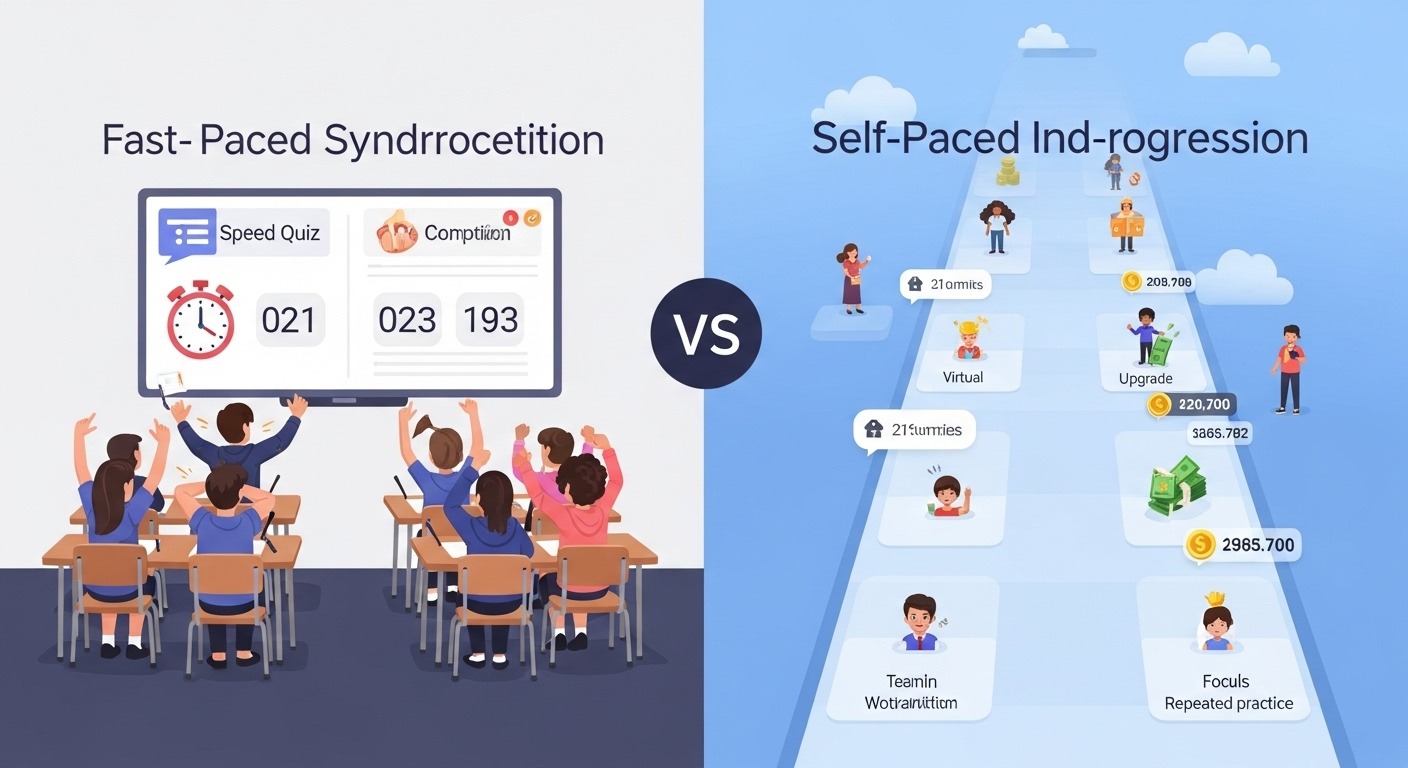
Kahoot is built around synchronized, timed competition. Everyone answers the same question simultaneously, racing against a countdown. Speed and accuracy both matter. It’s designed for explosive energy, shared excitement, and whole-class moments.
Gimkit is built around self-paced progression with economic strategy. Students answer questions at their own speed, earn virtual currency, and make strategic decisions about upgrades and power-ups. It’s designed for sustained engagement and deep repetition.
Neither approach is inherently better. They serve different purposes for different classrooms at different moments. This guide breaks down exactly when to use each one — based on years of real classroom experience, not feature-list comparisons.
How Kahoot Works in the Classroom
A Kahoot session follows a predictable, high-energy rhythm:
- The teacher displays a question on the main screen (projector or smartboard)
- Answer options appear on student devices as colored shapes — not the question text
- Everyone has a countdown timer (typically 5–30 seconds)
- When time expires, the correct answer is revealed to the whole class simultaneously
- Points are awarded based on both accuracy and speed
- A live leaderboard shows current standings
- The next question begins
Key characteristic: Students must look at two screens — the main display for the question and their device for the answer buttons. This split creates a shared experience where the entire class moves through content together.
Typical session length: 10–20 minutes. The energy is high, the pace is fast, and there’s usually cheering or groaning after every single question.
How Gimkit Works in the Classroom
Gimkit sessions feel fundamentally different:
- Students see questions individually on their own screens — question and answers together
- They answer at their own pace with no synchronized timer
- Correct answers earn virtual money; wrong answers can cost money
- Between questions, students spend earnings on upgrades, multipliers, and power-ups
- The game continues until time expires or someone hits a money goal
- Students encounter the same questions multiple times, reinforcing content through repetition
Key characteristic: The experience is individual. Students are heads-down on their own devices, making strategic decisions about their virtual economy while practicing content. The class doesn’t share synchronized dramatic moments the way Kahoot creates them.
Typical session length: 15–30 minutes. The economic layer and upgrade system encourage sustained play far longer than most quiz platforms.
Kahoot vs Gimkit: Question Types and Content Creation
Kahoot Question Formats
Kahoot offers significantly more question variety:
- Quiz questions — Standard multiple choice (2–4 options)
- True/False — Binary choice
- Type answer — Students type responses (spelling, vocabulary, math)
- Puzzle — Arrange items in correct order
- Poll — Gather opinions without correct answers
- Slide — Display information without questions (instruction breaks)
- Word cloud — Collect and visualize student responses
- Open-ended — Free response without predetermined answers
- Brainstorm — Collect class ideas collaboratively
- Drop pin — Location-based responses on images
This variety allows creative, mixed-format games. You can embed YouTube videos directly into questions, add explanation slides between rounds, and go well beyond simple recall.
Gimkit Question Formats
Gimkit keeps question types simpler:
- Multiple choice — Standard format with multiple options
- Text input — Students type answers (with flexibility for acceptable variations)
- Image-based questions — Include images in questions or answers
Gimkit’s strength isn’t question variety — it’s everything that happens around the questions. The game modes and economic systems create engagement layers that Kahoot doesn’t offer.
Content Creation Experience Compared
Kahoot’s creator is polished, intuitive, and modern. Adding images, videos, and diagrams is straightforward. The interface guides you through every step. Adding post-answer explanations is easy, which supports learning — not just testing.
Gimkit’s creator is functional but more basic. Questions can be created quickly, and there’s a helpful spreadsheet import option for bulk creation. One standout feature: direct import from Quizlet. If you already have Quizlet flashcard sets, you can convert them to Gimkit kits in seconds.
Pre-Made Content Libraries
Kahoot’s library is enormous. With years of head start and a much larger user base, you can find Kahoots on virtually any topic imaginable. Quality varies wildly — some are excellent, some are riddled with errors — but the sheer selection is unmatched.
Gimkit’s library is smaller but growing. Options are more limited, especially for niche topics. You’ll more often create your own kits or import from Quizlet.
Game Modes: Where Gimkit Dominates the Comparison
This is the category where differences become dramatic.
Kahoot Game Modes
Kahoot’s core experience stays fairly consistent across its options:
- Classic — The standard synchronized competition
- Team Mode — Students collaborate in groups
- Assign/Challenge — Self-paced individual play for homework
- Live — Real-time classroom experience
Kahoot has added themed visual variations, but fundamentally, the gameplay remains synchronized question-by-question competition regardless of which mode you choose.
Gimkit Game Modes
Gimkit offers genuinely different gameplay experiences:
- Classic — Self-paced with the upgrade economy
- Team Mode — Collective team competition
- Trust No One — Social deduction with secret impostors (Among Us–style)
- The Floor Is Lava — Survival with rising lava mechanics
- Humans vs. Zombies — Infection-spreading gameplay
- Boss Battles — Whole-class cooperation against a computer boss
- Dig It Up — Excavation and discovery mechanics
- Don’t Look Down — Tower climbing challenge
- Tag: Domination — Territory control gameplay
- Draw That — Pictionary-style drawing game
- Snowbrawl — Seasonal snowball fight mode
These modes feel genuinely different from each other. Trust No One is a completely different classroom experience from Boss Battles, which feels nothing like Classic mode. This variety keeps the platform fresh across weeks and months of regular use.
Winner for game mode variety: Gimkit, decisively. Kahoot is essentially one experience with minor variations. Gimkit offers fundamentally different games built around the same question content.
Classroom Energy and Student Engagement Compared
Kahoot’s Energy Profile
Nothing matches a Kahoot session firing on all cylinders. The countdown music builds tension. Students lean forward as time runs out. Cheers erupt when the leaderboard updates. The whole class shares the same dramatic moments simultaneously.
However, this energy requires:
- A functional projector or main display
- Students who can handle competitive pressure
- Questions at an appropriate difficulty level for the time limit
- Enough students to create a competitive atmosphere
When conditions aren’t right — technology struggles, students are anxious, the class is very small — Kahoot can fall completely flat.
Gimkit’s Engagement Profile
Gimkit’s engagement is different: more sustained but less explosive. Students stay focused for extended periods, heads down, grinding through questions to build virtual wealth. The strategic upgrade layer keeps things interesting beyond pure content recall.
You won’t get the same whole-class celebration moments. But you might get 25 minutes of intense, focused practice where every student works at their own comfortable level without anxiety.
Gimkit’s engagement works even with:
- No main display needed
- Anxious or pressure-sensitive students
- Very small or very large class sizes
- Widely varied ability levels within the same room
The verdict: Kahoot wins for peak excitement and shared classroom moments. Gimkit wins for sustained, low-anxiety engagement over longer sessions.
Student Anxiety and Accessibility: A Critical Difference
This difference matters enormously — and it’s underrepresented in most comparison guides.
Time Pressure and Test Anxiety
Kahoot’s timed format creates real pressure. Some students thrive on countdown energy. Others freeze. Students with test anxiety, processing speed differences, or reading challenges frequently struggle with the format. By the time they’ve fully read and processed the question, faster classmates have already answered and moved on.
The public leaderboard adds social pressure. Being visibly ranked at the bottom can feel humiliating, especially for already-struggling students.
Gimkit’s self-paced format dramatically reduces pressure. Students take whatever time they need. Nobody can see how quickly or slowly anyone else is working. There’s no public moment of exposure when you get something wrong.
The leaderboard exists but feels less punitive — students at the bottom are still earning money, still playing, still progressing. And teachers can hide leaderboards entirely if needed.
For classrooms with significant anxiety, learning differences, IEP accommodations, or wide ability gaps, Gimkit’s pacing is substantially more inclusive.
Screen and Attention Requirements
Kahoot requires coordinating attention between two screens — the main display for question text and the personal device for answer buttons. This split attention challenges students with visual processing issues, attention difficulties, or physical seating limitations (not being able to see the projector clearly).
Gimkit puts everything on one device. Questions and answers appear together. Students control their entire experience without needing to coordinate visual attention across the room.
Device Compatibility
Both platforms work on phones, tablets, and computers. Both require internet connections.
- Kahoot traditionally requires a teacher-controlled main display, though self-paced “Challenge” assignments work without one
- Gimkit can run entirely on student devices with no main display, though having one helps with classroom management
Assessment Data and Analytics
What Kahoot Reports Show You
- Overall accuracy per question across the class
- Which questions were hardest (lowest accuracy)
- Individual student results and scores
- Response time data per question
- Downloadable spreadsheet reports
Useful for quickly identifying which concepts need reteaching. You can see at a glance where the class struggled.
What Gimkit Reports Show You
- Question accuracy rates across the session
- Individual student performance breakdowns
- Total time played per student
- Total questions answered per student
- Detailed records of which specific questions each student missed
Solid formative assessment data with good individual-level detail.
Important Assessment Caveat for Both Platforms
Neither platform should be your primary assessment method.
Both measure recognition and recall in a gamified, adrenaline-influenced context. Neither measures extended thinking, writing ability, creative application, or authentic problem-solving.
Kahoot-specific data concern: The speed component skews results. A student might know the answer but run out of time, or guess quickly and get lucky. Accuracy data needs careful interpretation.
Gimkit-specific data concern: Repeated question exposure within a single session inflates accuracy numbers as games progress. The learning is real, but final accuracy rates reflect practice gains — not initial understanding.
Use both platforms for practice, engagement, and formative insight. Use other methods for definitive summative assessment.
Kahoot vs Gimkit Pricing Comparison (2026)
Kahoot Free vs Paid Plans
Free (Basic):
- Create Kahoots with limited participant counts in live games
- Restricted question types
- Limited features and reporting
Kahoot+ (Paid tiers):
- Multiple tiers ranging roughly $5–15/month for individual teachers
- School and district pricing available
- Advanced question types, larger participant limits, expanded features
- Enhanced reporting and analytics at higher tiers
The free tier is limited enough that most teachers with full-sized classes find upgrading necessary for practical regular use.
Gimkit Free vs Paid Plans
Free:
- Unlimited students per game
- Limited to Classic game mode only
- Basic kit creation tools
- Limited total plays per teacher account
Gimkit Pro (Paid):
- Approximately $10–15/month for individual teachers
- All game modes unlocked
- Unlimited plays
- Advanced features and settings
- School pricing available
The free tier is more usable for actual classroom instruction than Kahoot’s free version, but the single-mode limitation means you’re missing Gimkit’s biggest advantage.
Which Platform Is a Better Value?
Both platforms push toward paid plans for full functionality. Worth it depends on frequency of use and budget.
Cost-saving tip: Schools negotiating institutional licenses almost always get better per-teacher value than individual subscriptions. Check with your administration before paying personally.
For occasional use, free tiers on both platforms can work. For regular weekly integration, paid plans on either platform typically justify themselves through engagement and time savings.
Ease of Use for Teachers and Students
Teacher Learning Curve
Kahoot is extremely intuitive. The interface is polished, the workflow is clear, and most teachers can run a successful game within minutes of their first attempt.
Gimkit has a slight learning curve — primarily because there are more options. Choosing between game modes, understanding various settings, and navigating different features takes some exploration. Not difficult, just more extensive.
Student Learning Curve
Kahoot’s learning curve is nearly zero. Enter a code, pick a name, tap colored buttons. Done. Even kindergartners can figure it out immediately.
Gimkit is slightly more complex because of the economic mechanics. Students need to understand earning money, buying upgrades, and making strategic decisions. Most figure it out within one session, but it’s not as immediately obvious as Kahoot’s tap-the-color simplicity.
For very young students or first-time game-based learning experiences, Kahoot’s simplicity is a meaningful advantage.
When to Use Kahoot: Best Scenarios
After years with both platforms, here’s exactly when I reach for Kahoot:
You want explosive whole-class energy. Nothing matches Kahoot for creating shared excitement. End-of-unit celebrations, Friday reviews, spirit weeks — whenever you need the room buzzing.
You need a quick, focused session. Kahoot games can run 5–10 minutes for a fast formative check-in. The synchronized structure keeps things tight and efficient.
You’re introducing game-based learning for the first time. Kahoot’s simplicity makes it the perfect entry point for students and teachers new to educational gaming.
You want to incorporate video or media. Kahoot’s YouTube integration and media embedding make it stronger for media-rich content, listening comprehension, or visual analysis.
The content is at roughly one difficulty level. When all students can reasonably answer within the time limits, Kahoot’s shared pace works beautifully.
You want to poll or brainstorm as a class. Kahoot’s poll, word cloud, and brainstorm features are genuinely useful for gathering and displaying class opinions.
You’re teaching synchronously online. For remote or hybrid instruction, Kahoot’s shared experience recreates some classroom energy through video conferencing platforms.
When to Use Gimkit: Best Scenarios
You want maximum content repetition in a single session. Gimkit’s question cycling means students encounter material repeatedly — far more practice per session than Kahoot delivers. For content that needs drilling, it’s measurably more effective.
You have students who struggle with time pressure. The self-paced format lets everyone work comfortably. No student is publicly exposed for being slower than classmates.
You need sustained focus, not just momentary excitement. Gimkit can productively run 20–30 minutes with fully engaged students. The strategic upgrade layer keeps things compelling beyond pure question-answering.
You use game-based learning frequently and need variety. If you’re running gamified review weekly, Gimkit’s diverse mode library prevents the staleness that comes from repeating the same format.
You’re assigning independent practice or homework. The self-paced design works naturally for asynchronous assignments and study sessions.
You want cooperative rather than competitive gameplay. Boss Battles and similar modes create collaboration and shared goals rather than individual competition.
You have limited display technology. Gimkit runs entirely on student devices without requiring a projector, smartboard, or main screen.
Honest Drawbacks of Each Platform
Neither platform is perfect. Here’s what genuinely frustrates me about each one after years of heavy use.
What’s Frustrating About Kahoot
The time pressure excludes some students. I’ve watched struggling readers consistently finish last — not because they don’t know the content, but because they can’t read fast enough. It’s genuinely demoralizing for those kids.
Speed-based scoring rewards fast clicking over careful thinking. Quick guessers sometimes outscore students who actually understand the material better. That sends the wrong message about learning.
It requires functional display technology. When the projector dies or the smartboard glitches, your entire Kahoot session dies with it.
The free tier keeps shrinking. Features that were previously free get moved behind paywalls with updates. The value proposition of the free version decreases over time.
Classroom management can spiral. Some classes go from excited to out-of-control, especially younger students. The competitive energy requires active teacher management.
What’s Frustrating About Gimkit
The economic mechanics can distract from actual learning. Some students focus entirely on earning money and buying upgrades, barely noticing whether they answered questions correctly or incorrectly. The game can overshadow the content.
There’s less whole-class community. Students are in their own individual worlds on their devices. You lose the shared experience, collective reactions, and classroom bonding that Kahoot creates.
Some game modes prioritize entertainment over learning. Trust No One is incredibly engaging but doesn’t deliver the same concentrated content practice as Classic mode. Teachers need to choose modes intentionally.
The upgrade system can feel unfair. Students who pull ahead early gain compounding advantages that widen the gap. Late joiners or students who start slowly face a structural disadvantage that’s hard to overcome.
It’s easy to overuse without realizing it. Because Gimkit is less disruptive than Kahoot, teachers sometimes run it too frequently — dulling its effectiveness and turning a special tool into background noise.
What Students Actually Prefer: Patterns From Years of Asking
I’ve polled students many times about which platform they prefer. Individual answers vary, but clear patterns emerge:
Competitive, confident students generally prefer Kahoot. They love the leaderboard drama, the speed challenge, and the public recognition for winning.
Anxious or struggling students generally prefer Gimkit. The absence of time pressure and public ranking exposure feels safer and more enjoyable.
Students who enjoy strategy and video games gravitate toward Gimkit. The economic upgrade layer scratches the same itch as games they play at home.
Students who crave social energy and group excitement lean toward Kahoot. The whole-class shared experience feels more like an event than an assignment.
The most consistent pattern: After extended exposure to either platform, students prefer whichever one is used less frequently. Novelty matters enormously. If you run Kahoot every week, they’ll cheer when you switch to Gimkit — and vice versa.
The wisest approach is having both in your rotation and alternating based on instructional purpose.
Can You Use Both Kahoot and Gimkit Together?
Absolutely — and this is what I’d recommend for most teachers.
They serve different purposes well enough that having both in your toolkit makes you more flexible and more responsive to what your students need on any given day.
A powerful combined approach within a single unit:
- Gimkit early in the unit → Repeated self-paced practice for building foundational knowledge
- Kahoot later in the unit → High-energy final review that celebrates what students have learned
This sequence leverages each platform’s core strength: Gimkit’s repetition engine for learning, Kahoot’s excitement for consolidation and celebration.
Other Classroom Game Platforms Worth Considering
While Kahoot and Gimkit dominate teacher conversations, several alternatives deserve mention:
- Quizizz — Self-paced like Gimkit but with meme-based feedback and Kahoot-like simplicity (an interesting middle ground)
- Blooket — Unique game modes with strong engagement mechanics, growing rapidly in popularity
- Quizlet Live — Excellent for vocabulary and term-focused collaborative review
- Socrative — More assessment-focused and less gamified, better for formal formative checks
Competition between platforms drives innovation and keeps features improving across the board — which ultimately benefits teachers and students.
The Final Verdict: Gimkit vs Kahoot for Your Classroom
The Gimkit vs Kahoot debate doesn’t have a universal winner because it’s the wrong question. The real question is: What does this particular lesson need, for this particular class, at this particular moment?
Both platforms are excellent at what they’re designed to do:
- Kahoot creates excitement, shared experiences, and efficient whole-class review
- Gimkit creates sustained engagement, anxiety-free practice, and strategic depth
The best teachers I know don’t pick a side. They pick the right tool for each situation. Sometimes that’s Kahoot. Sometimes that’s Gimkit. Sometimes it’s neither — because a great discussion or hands-on activity serves the learning better than any screen.
Choose Kahoot if you value whole-class energy, quick sessions, and polished simplicity.
Choose Gimkit if you prioritize inclusion, sustained practice, and gameplay variety.
Choose both if your budget and bandwidth allow it — because maximum flexibility means maximum responsiveness to your students.
And above all: don’t let the platform debate overshadow the teaching. Both tools are just delivery mechanisms. The learning happens because of your question design, your content alignment, your classroom facilitation, and your relationships with students — not because of which game logo appears on the screen.
Now go play some games. Your students are waiting.