Best Gimkit Games for Classroom Use
Choosing the right Gimkit game mode can make the difference between a review session students beg to repeat and one that falls flat. I’ve learned this lesson the hard way—launching what I thought would be an exciting session only to watch confusion or disengagement spread across the room.
After running countless Gimkit sessions across different grade levels and subjects, I’ve developed strong opinions about which modes work best in different situations. Not every mode suits every classroom, every topic, or every day of the week. Context matters enormously.
Let me walk through the Gimkit game modes worth knowing, when each one shines, and how to match your choice to your actual teaching goals.

Why Game Mode Selection Actually Matters

It’s tempting to just pick whatever sounds fun and roll with it. But different modes create fundamentally different classroom experiences.
Some modes emphasize individual competition. Others require cooperation. Some keep everyone focused on content; others introduce gameplay complexity that can distract from learning. Some work beautifully with smaller groups but become chaotic with thirty students. Others need larger numbers to function properly.
The mode you choose shapes:
  • How much actual content practice happens
  • Whether struggling students feel supported or exposed
  • The energy and noise level in your room
  • How much do you need to manage versus observe
  • Whether learning or gaming takes center stage
Picking thoughtfully means better outcomes. Picking randomly means unpredictable results.
Best Gimkit Games for Classroom Use

The Gimkit Game Modes Ranked and Reviewed

Let me break down the major modes, sharing what works, what doesn’t, and when I reach for each one.

Classic Mode

What It Is: The original Gimkit experience. Students answer questions at their own pace, earn virtual currency for correct answers, and spend that currency on upgrades, multipliers, and power-ups. Games typically end when someone hits a money goal or time expires.
Why It Works: Classic mode delivers the most raw content repetition of any format. Students cycle through your question set multiple times, seeing the same material from different angles as they grind toward their earnings goals. The self-paced nature means fast students don’t create pressure for slower ones, and everyone stays engaged with something to do.
The upgrade system adds just enough strategic depth to stay interesting. Should I buy a multiplier now or save for something bigger? The decisions feel meaningful without overwhelming the learning focus.
Best For:
  • Vocabulary and term review
  • Test prep when you want maximum repetition
  • First-time Gimkit users who need to learn the platform
  • Any situation where content mastery is the primary goal
Watch Out For: Students can develop autopilot habits, clicking quickly without really processing. The competitive leaderboard motivates some students while demoralizing others. If you use it too frequently, the novelty wears off.
My Take: Classic remains my most-used mode. It’s reliable, effective, and easy to run. Not flashy, but consistently delivers results.

Team Mode

What It Is: Students are divided into teams working toward collective goals rather than individual rankings. Teams share progress and compete against other teams rather than each other.
Why It Works: The collaborative dynamic changes everything. Struggling students don’t feel personally exposed—their contributions blend into team efforts. High-achieving students often naturally help teammates, creating peer tutoring moments. The shared goal builds community.
Team mode also reduces the anxiety some students feel about individual leaderboards. When winning or losing is collective, the pressure is distributed differently.
Best For:
  • Building classroom community early in the year
  • Classes where competition creates negativity
  • Review sessions before high-stakes tests when you want encouragement rather than stress
  • Mixed-ability classrooms where stronger students can support weaker ones
  • Content that benefits from discussion and collaboration
Watch Out For: Unequal participation can develop. One student might carry a team while others coast. Team selection matters—random assignment prevents friend groups from dominating, but can create awkward dynamics. Larger teams dilute individual accountability.
My Take: I reach for Team Mode when class climate needs attention or when I want collaboration rather than competition. It’s less efficient for pure content drilling but builds something beyond test scores.

Trust No One

What It Is: Gimkit’s take on social deduction games like Among Us. Most players are “crewmates” working to complete tasks, while secretly assigned “impostors” try to sabotage the group. Players vote to eject suspected impostors.
Why It Works: Engagement goes through the roof. Students who normally tune out suddenly become intensely invested. The social dynamics create memories and conversations that extend beyond class time. It feels less like studying and more like playing.
The actual content practice happens, but it’s wrapped in layers of gameplay that make it feel incidental—which can actually be a good thing for students who resist traditional review.
Best For:
  • End-of-unit celebrations
  • Friday review sessions when energy is low
  • Classes that respond strongly to social gaming
  • Rewarding effort or achievement
  • Making review feel like a treat rather than work
Watch Out For: Learning takes a back seat to gaming. Students focus more on identifying impostors than on question content. It can get loud and chaotic. Shy students might feel uncomfortable with the social pressure. Strong personalities can dominate discussions.
It’s also genuinely difficult to manage. You need clear behavioral expectations beforehand, and you’ll spend more energy facilitating than in other modes.
My Take: I use Trust No One sparingly—maybe once or twice per unit at most. It’s fantastic for engagement but limited for actual learning. When I want students to associate review with fun, this is my go-to. When I need them to actually master content, I look elsewhere.

The Floor Is Lava

What It Is: Players navigate a map while answering questions. Correct answers help you move to safety; wrong answers slow you down. Lava rises, eliminating players who fall behind.
Why It Works: The spatial element adds urgency without feeling as directly competitive as leaderboards. Students get invested in surviving, which motivates engagement with the questions. The visual map creates excitement and gives something to watch.
It’s more dynamic than Classic mode while staying more focused on content than Trust No One. A nice middle ground.
Best For:
  • Adding excitement without full chaos
  • Classes that respond to visual, game-like environments
  • Breaking up monotony after too many Classic sessions
  • Content that’s already somewhat familiar (because the pace pressure makes careful thinking harder)
Watch Out For: The urgency can increase anxiety for some students. Quick elimination removes struggling students from practice when they need it most. The gameplay mechanics require some initial explanation and can confuse first-timers.
My Take: The Floor is Lava offers a good variety without going full game-mode chaos. I use it when Classic feels stale, but I still want solid content focus. The visual energy refreshes things nicely.

Humans vs. Zombies

What It Is: One student starts as a “zombie.” Tagged humans become zombies. Answering questions correctly helps humans escape or slow down zombies. The infection spreads until everyone is converted or time expires.
Why It Works: The spreading infection mechanic creates drama and excitement. There’s a story unfolding—will the humans survive? Students get genuinely invested in the outcome in ways pure content review never achieves.
Like Trust No One, this mode wraps learning in enough gameplay to make it feel like play rather than work.
Best For:
  • Seasonal fun around Halloween
  • High-energy classes that thrive on excitement
  • Days when you need to match student energy rather than fight it
  • Building positive associations with the review
Watch Out For: Similar limitations to Trust No One—gameplay overshadows content. Students eliminated early lose a practice opportunity. Management requires attention.
My Take: I keep this one seasonal or occasional. It’s great for the right moment, but loses impact through overuse.

Boss Battles

What It Is: The entire class works cooperatively against a computer-controlled boss. Every correct answer from any student deals damage to the boss. The class wins together or loses together.
Why It Works: This is cooperative Gimkit at its best. No individual leaderboard means no individual exposure. Struggling students contribute alongside strong students without direct comparison. The shared enemy creates unified focus rather than internal competition.
I’ve watched classes erupt in genuine cheering when the boss finally falls. That collective victory creates community in ways competitive modes don’t.
Boss Battles also reduces anxiety dramatically. Students who freeze up when their name might appear on a leaderboard relax when everyone’s attacking together.
Best For:
  • Anxious or competitive-averse classes
  • Building class community and shared purpose
  • Early in the year, when you’re establishing culture
  • After difficult units, when morale needs boosting
  • Inclusion classrooms where ability gaps are significant
Watch Out For: Individual accountability disappears completely. Some students coast while others carry the load. Without personal stakes, motivation can flag for achievement-oriented students.
The boss difficulty matters—too easy, and there’s no challenge; too hard, and frustration builds. Finding the right level takes experimentation.
My Take: Boss Battles is my favorite mode for community building and anxiety reduction. When I sense students feeling stressed or disconnected, this mode reminds them they’re on the same team. Content practice is decent, though less intense than Classic.

Dig It Up

What It Is: Players answer questions to dig in a virtual excavation site, uncovering artifacts and treasures. Correct answers let you dig; wrong answers slow progress.
Why It Works: The exploration mechanic adds discovery to review. Finding treasures creates small dopamine hits beyond just getting answers correct. The visual progress of uncovering artifacts gives tangible feedback.
It’s calmer than some modes while still adding engagement beyond plain question-answer cycles.
Best For:
  • Younger students who respond to discovery mechanics
  • Classrooms where you need lower energy levels
  • Independent practice where students work at their own pace
  • Content review that doesn’t need high intensity
Watch Out For: The novelty wears off faster than some modes. Older students may find it too simple. The digging mechanic doesn’t add as much strategic depth as Classic’s upgrade system.
My Take: Dig It Up works well for elementary and early middle school. By high school, students usually prefer modes with more complexity or social elements.

Don’t Look Down

What It Is: Players climb a tower, answering questions to advance. Wrong answers can cause falls or setbacks. The goal is reaching the top—or climbing higher than classmates.
Why It Works: The vertical progress creates clear visual feedback. Students can see themselves advancing, which motivates continued effort. The climbing metaphor resonates with the idea of building knowledge.
It balances individual progress with just enough competitive pressure.
Best For:
  • Visual learners who respond to progress representation
  • Classes that like competition without the intensity of pure leaderboards
  • Content that builds sequentially (the climbing metaphor matches)
  • Independent practice sessions
Watch Out For: Like other elimination-style modes, falling can remove struggling students from the practice they need. The pace pressure can increase anxiety.
My Take: A solid middle-ground option. Not my most-used mode, but useful for variety.

Snowbrawl

What It Is: A seasonal mode where players engage in snowball fights while answering questions. Correct answers give you snowballs to throw; accuracy affects gameplay success.
Why It Works: Pure fun. The snowball mechanics are silly and energetic, and students get into the competitive throwing dynamics. It makes winter review sessions feel festive.
Best For:
  • December/January review sessions
  • End-of-semester celebrations
  • Classes that respond to seasonal theming
  • Days when fun matters more than efficiency
Watch Out For: Seasonal modes aren’t available year-round. The gameplay focus reduces content practice effectiveness.
My Take: When it’s available, Snowbrawl is perfect for pre-break review sessions. It creates the right holiday energy while still covering material.

Tag: Domination

What It Is: Teams compete to control zones on a map by answering questions. Correct answers help capture and hold territory.
Why It Works: The territorial competition adds strategy beyond individual performance. Teams must coordinate to some extent, creating collaborative energy within a competitive structure. The visual map shows progress clearly.
It combines elements of team cooperation with inter-team competition.
Best For:
  • Classes that enjoy strategy games
  • Building team identity and cooperation
  • Competitive review with collaborative elements
  • Students who enjoy visual, spatial gameplay
Watch Out For: Can get confusing for first-time players. Requires more explanation than simpler modes. Team dynamics can become contentious.
My Take: Tag works well once students understand it, but the learning curve means I don’t reach for it casually. Worth using with classes that appreciate strategic depth.

Draw That

What It Is: Combines Pictionary-style drawing with Gimkit questions. Players draw to communicate concepts while teammates guess.
Why It Works: The drawing element engages different learning styles and creates hilarious classroom moments. Students who struggle with traditional assessment sometimes shine when visual communication is involved.
It’s inherently social and generates conversation and laughter.
Best For:
  • Visual and artistic learners
  • Vocabulary that has drawable concepts
  • Building classroom community through shared laughter
  • Breaking up a text-heavy review with something different
  • End-of-week lighter sessions
Watch Out For: Not all content translates to drawing. Some students feel self-conscious about their art. It’s slower than other modes for pure content coverage.
My Take: Draw That is situationally fantastic. Science vocabulary with visual concepts, historical events that can be illustrated, literary themes—these work beautifully. Abstract or numerical content doesn’t translate as well.

Matching Modes to Your Goals

Instead of picking favorites, consider what you actually need from a session.

When You Need Maximum Content Practice

Go with Classic Mode. Nothing else delivers as many question repetitions per minute. The upgrade system adds enough interest to maintain engagement while keeping focus on answering correctly.

When Your Class Needs Community Building

Boss Battles or Team Mode create cooperation rather than competition. Boss Battles works particularly well because the enemy is external—students never compete against classmates directly.

When Energy Is Low, and Engagement Is Critical

Trust No One or Humans vs. Zombies brings energy that pure content review can’t match. Save these for moments when you need to associate review with excitement.

When Anxiety Is Running High

Boss Battles removes individual exposure completely. Team Mode distributes pressure across groups. Both help anxious students participate without feeling spotlighted.

When You Want Variety Without Chaos

The Floor is Lava or Don’t Look Down adds visual engagement and urgency without the social complexity of imposter games. They’re exciting but manageable.

When Competition Motivates Your Students

Classic Mode with visible leaderboards, or Tag: Domination for team-based competition. Some classes thrive on competing; lean into that when it’s healthy.

When You’re Celebrating

End-of-unit? Last day before break? Major test complete? Trust No One, Snowbrawl (if seasonal), or whichever mode your students specifically request. Let them have fun.

Practical Tips for Mode Selection

A few lessons learned from trial and error:
Start with Classic, then branch out. Students new to Gimkit need to learn the basic mechanics before adding layers. Classic mode teaches how Gimkit works without extra complexity.
Match energy to context. Monday morning after a long weekend? Maybe Trust No One. Friday afternoon with restless students? Embrace the chaos.
Rotate strategically. Using the same mode repeatedly dulls its impact. But switching constantly prevents mastery of any mode. I typically alternate between two or three modes per unit, saving others for special occasions.
Ask your students. Sometimes I let classes vote on mode—within reason. Student choice increases buy-in, and you learn what resonates with particular groups.
Consider your content. Some material needs more repetition (use Classic). Some needs discussion (use Team). Some just need association with something positive (use fun modes).
Think about your energy. Trust No One requires active facilitation. Boss Battles practically runs itself. On days when you’re exhausted, pick modes that demand less from you.

Modes to Avoid—Or at Least Approach Carefully

I’m generally positive about Gimkit’s options, but a few cautions:
Complex social modes with young students can be overwhelming. Trust No One requires social reasoning that younger kids may lack. Save it for students mature enough to handle the mechanics and the social dynamics.
Highly competitive modes with fragile class dynamics can backfire. If your class already has bullying issues, cliques, or students who weaponize competition, leaderboard-heavy modes can make things worse.
Unfamiliar modes on important review days risk confusion, eating into your time. Don’t experiment when the stakes are high. Try new modes during low-stakes practice sessions first.

Getting More from Any Mode

A few practices that improve any Gimkit session:
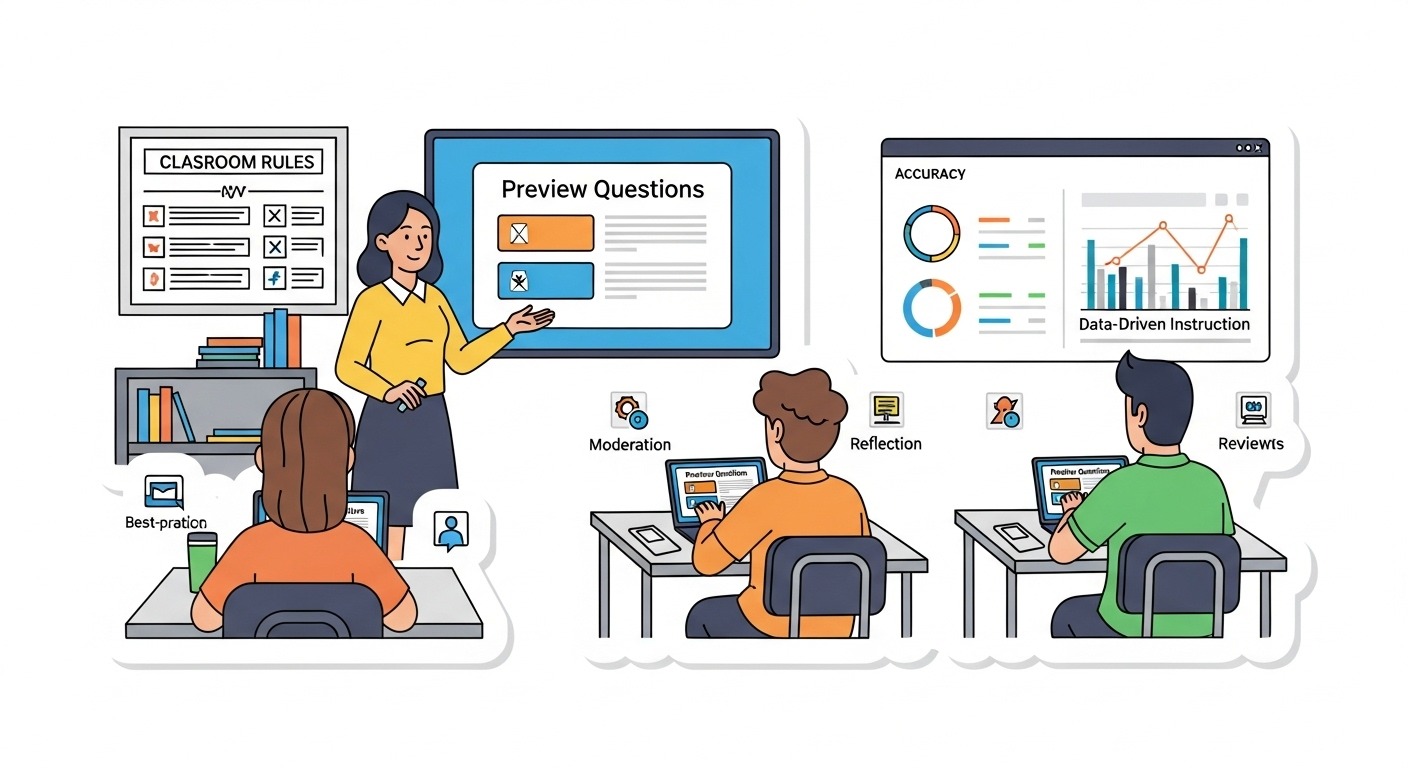
Preview the questions. Make sure your kit aligns with what you’re actually assessing. Random kits from the library often need editing.
Debrief afterward. Spend five minutes discussing tricky questions. What confused people? What misconceptions surfaced? This reflection deepens learning.
Set behavioral expectations. Especially for social modes, establish norms before you start. What happens during voting? How do we handle elimination? What volume level is acceptable?
Watch the data. Gimkit shows you which questions had low accuracy. Use that information to guide future instruction.
Don’t overdo it. Two to three sessions per week maximum. Gimkit works because it feels special. Make it routine, and the magic fades.
Best Gimkit Games for Classroom Use

The Bottom Line

There’s no single “best” Gimkit game mode. The best mode is the one that matches your goals, your students, and your context on a given day.
Classic mode remains the workhorse—reliable, effective, and content-focused. Team mode and Boss Battles build community while still covering material. Trust No One and Humans vs. Zombies bring energy and excitement when engagement matters most. Everything else offers valuable variety for the right situations.
The teachers who get the most from Gimkit are those who choose modes intentionally rather than randomly. Think about what you need, pick accordingly, and adjust based on what you observe.
Your students are waiting. Choose your mode, launch the game, and watch what happens. You’ll learn quickly which games work best in your particular classroom.

Leave a Reply

Your email address will not be published. Required fields are marked *