
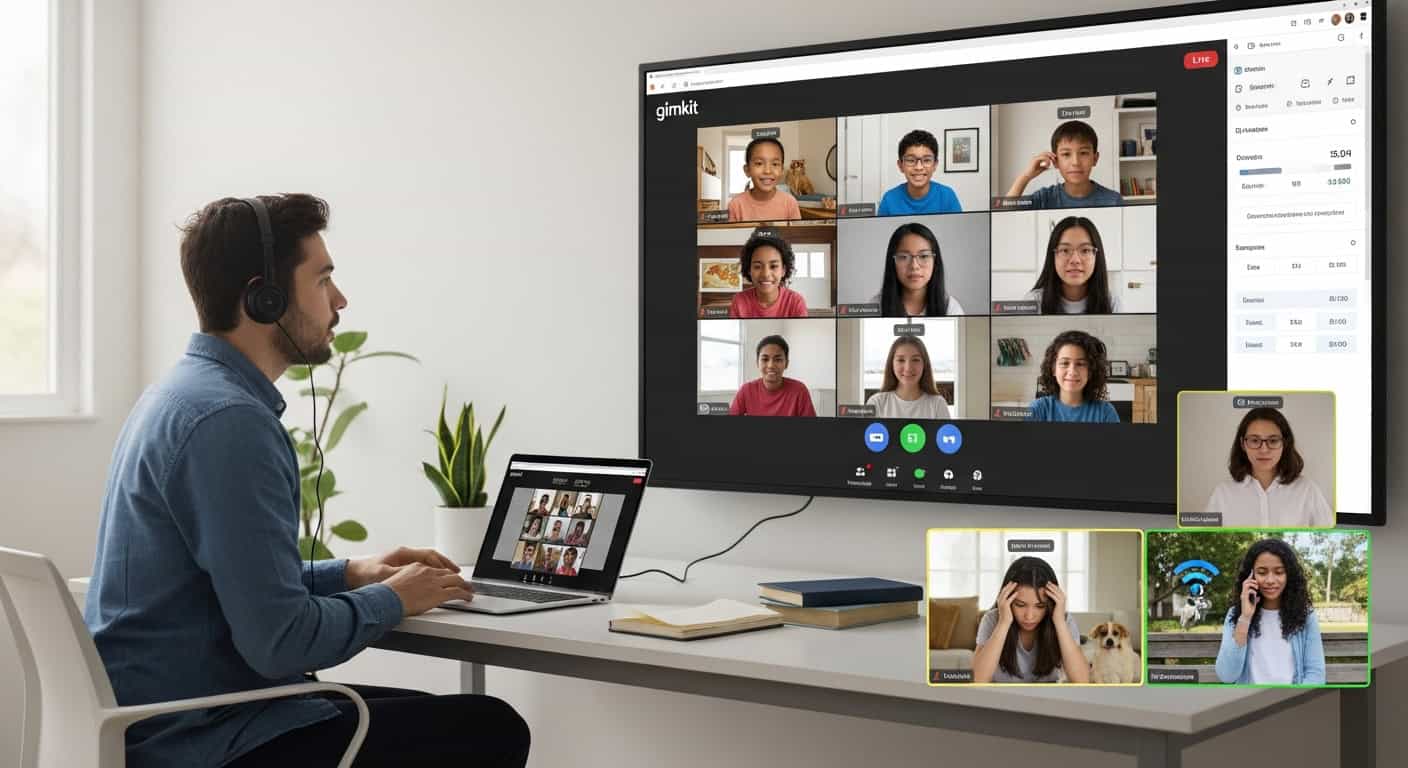
(Proven through 3 straight years of pandemic Zoom, hybrid chaos, Saturday credit-recovery, and McDonald’s parking-lot Wi-Fi)
I taught fully remote for two years and hybrid for another. I’ve run Gimkit with students in three time zones while siblings fought over bandwidth, dogs barked, parents screamed about dinner, and one kid literally played from a McDonald’s parking lot because their power was out.
These are the only 10 strategies that survived that apocalypse and still crush it today when I teach Zoom credit-recovery classes on Saturdays.
1. Force Guest Join – No Logins, No Excuses, No Mercy
Online students treat passwords like suggestions and Google SSO like a personal attack.
My permanent rule:
“Open gimkit.com/join → type the code → first name only.”
I keep a slide with gimkit.com/join in 180-point font and share the join code on screen for the first 5 minutes. Phones, iPads, 2012 Chromebooks — everyone gets in instantly.
Result: Zero “I can’t log in” messages. Zero support tickets. Zero tears.
2. Shorter Games, Higher Frequency (18–22 Minutes Max)
In-person Gimkit can run 35 minutes.
Online attention dies at exactly 22 minutes — every single time.
2026 sweet spot:
- 18–22 minute games
- 40–50 questions max
- Same kit recycled 3–4 times per unit
Repetition = retention, and short games survive little brothers unplugging routers for Nintendo Switch charging.
3. Lock These Exact Power-Up Prices for Remote Students
Online kids will open TikTok the second they’re not chasing something.
My unbreakable remote pricing (Classic mode):
| Power-Up | Price | Status | Reason |
|---|---|---|---|
| 2x Multiplier | $5,000 | ON | The ultimate carrot |
| Insurance | $2,500 | ON | Safety net for anxious players |
| Streak Bonus | $700 | ON | Keeps streaks alive |
| Freeze | – | OFF | Lag hell online |
| Everything else | – | OFF | Prevents distraction |
Kids whisper “come on, come on” into muted mics like it’s the final circle of Fortnite.
4. Share Screen + Pin Leaderboard = Remote Competitive Fire
The Zoom setup that changed everything:
- Share your teacher dashboard (question visible)
- Click “Pin” so your screen stays on top for students
- Every 3–4 minutes, flip to leaderboard for 15 seconds
They need to see someone gaining on them. The leaderboard is oxygen online.
5. Cameras On During Gimkit Only (The Wave Trick)
Cameras optional = 50% black screens and zero accountability.
My rule: Cameras ON for Gimkit, OFF the rest of class.
Spot-check hack:
“Everyone above $500k wave right now!”
Every black screen magically turns on because nobody wants to miss proving they’re winning.
Works 100% of the time.
6. Use Zoom Private Chat as Real-Time Coaching
The teacher dashboard shows exactly who’s struggling.
I private message hints instantly:
“Ser vs estar → location = estar. You got this.”
Six kids get personalized coaching without pausing the game. They light up like you just handed them $1,000.
7. Homework Mode with the Late-Penalty Cash Increase Trick
Online students “forget” live sessions the way politicians forget promises.
My settings:
- Cash goal: $1,200,000
- Available until Sunday 11:59 p.m.
- Every day late → goal increases 20%
Kids who miss live or AFK-bomb it replay at home with zero distractions.
Last semester: 94% completion rate on Gimkit assignments vs. 30–40% on Google Forms.
8. Trust No One Mode Hits Even Harder Online
The paranoia is 10× when you can’t see faces.
I run Trust No One once per unit.
Zoom chat explodes in beautiful chaos:
“WHO JUST FROZE ME”
“It was Jaden I SAW his cursor”
“bro I had a 15-streak you snake”
They’re screaming in caps about Spanish preterite vs. imperfect. I’m not mad at it.
9. Always Have a 60-Second Tech Disaster Backup
Internet dies weekly with online kids.
My emergency protocol:
- Drop new join code in chat instantly
- Switch to phone hotspot if needed (Gimkit runs perfectly on 4G/5G)
- Worst case: read questions aloud, kids answer in chat
I’ve finished full games tethered to my phone in parking lots after school fiber was cut. Printed kit code list lives in my wallet.
10. Celebrate Wins Like They’re Sitting Next to You
Remote victories feel empty unless you make them massive.
When someone hits a monster streak or wins by $200:
- Make the whole class clap on camera
- Screen-share their final scoreboard
- Announce their name like they just won the Super Bowl
Last year a kid beat his older brother’s score from two years earlier. He started crying on camera. Thirty Zoom boxes lost their minds cheering.
That moment doesn’t happen with worksheets.
The Hard Truth About Online Gimkit in 2026
It will never be as electric as in-person.
You’ll have black screens, kids eating Lucky Charms on camera, and dogs barking the entire period.
But Gimkit is still — by far — the single highest-engagement tool available for remote or hybrid teaching.
My online students beg for codes on weekends.
They create group chats to debate power-up strategy.
They message me at 11:47 p.m. on Sundays: “Mr., did you post the new kit yet??”
Do these four things religiously:
- Force guest join
- Run 18–22 minute games
- Pin the leaderboard
- Celebrate like crazy
Your remote students will show up excited — even when every other part of online learning feels dead.
I’ve lived it for three straight years of hellish remote teaching.
It works.
Save this post. Use it tomorrow.
Your Zoom kids will thank you.